
The Tree View
Information in the Tree View
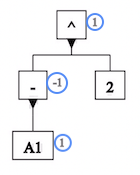
Next to each element in the tree view, unless it is a constant, is the value Excel computes for that element.
 Values in the tree view
For example, this tree view shows the value in cell A1,
as well as values for the expressions -A1 and (-A1)^2.
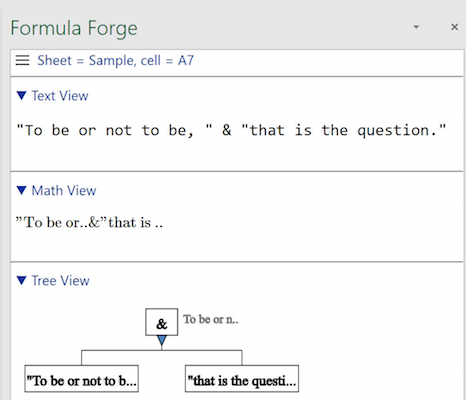
Long values are truncated, with an ellipsis (...) at the end to
indicate that something has been cut off.
 Ellipses indicating cut-off values
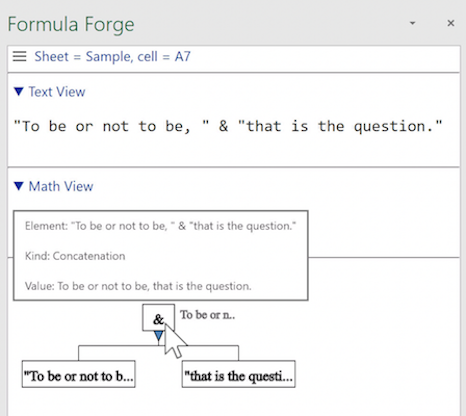
To see a value that has been cut off, or to see more information about an element in the tree view, hover the cursor over the element to pop up an informative display.
 Pop-up information in the tree view
A setting in the Formula Forge menu allows users to turn the display of values on or off.